Guides · July 25, 2026
AI appointment setting: booking meetings straight into Google Calendar
How an AI voice agent books appointments during the call itself, what it needs from your calendar, and how to cut down on no-shows and double bookings.

AI appointment setting means a voice agent agrees a time with the person on the call and books it in your calendar before they hang up. There is no "someone will call you back to arrange it", which is where many leads quietly disappear.
This guide covers how it works with Google Calendar, how to set an agent up to book well, and the mistakes that lead to double bookings and no-shows.
Why booking during the call matters
The longer the gap between interest and a booked time, the more likely the lead cools off, forgets or books with someone else. A call that ends with "I'll send you some times by email" adds a step that often never completes.
An agent that offers two or three real slots and confirms one turns interest into a commitment in the same conversation. That is the main benefit, and it holds for both inbound and outbound calls. For the timing side of this, see speed to lead.
How the booking works
- The agent is connected to a Google Calendar through the Integrations page.
- During the call, it checks availability when the caller shows interest.
- It offers slots in plain language: "I have Tuesday at 10:30 or Wednesday at 2."
- The caller picks one. The agent confirms details: name, phone number, sometimes email.
- It creates the event and tells the caller it is booked.
- You get the outcome: the appointment appears in the Appointments section, and the call has a transcript and summary.
Purple Voice's Free plan includes booking and summaries, so you can try this without a paid plan. The setup is covered step by step in Google Calendar booking with an AI agent.
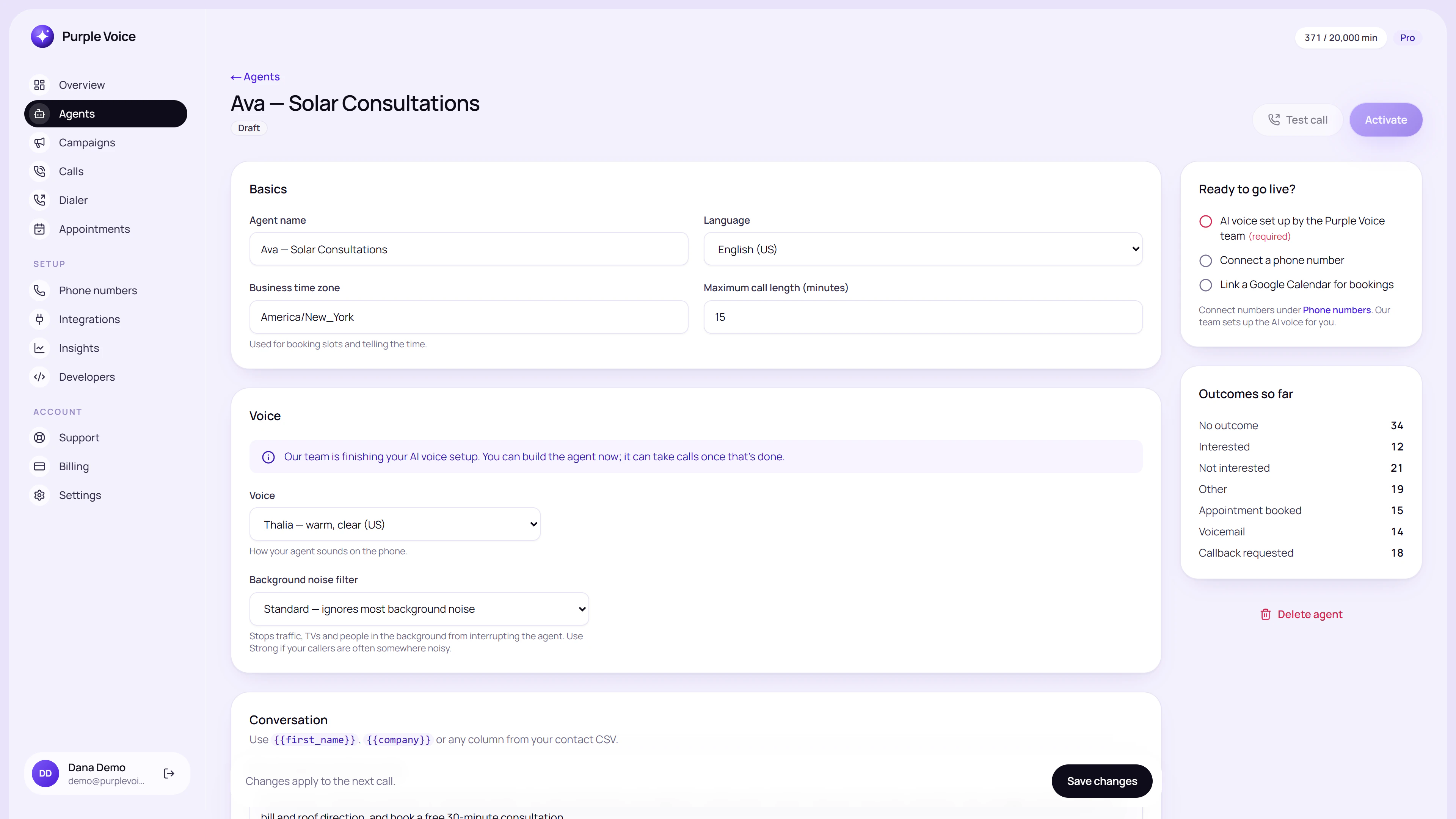 The agent editor, where the booking instructions, voice and knowledge for an agent live.
What the agent needs to book well
A clear definition of the appointment
Say what is being booked, how long it lasts and who it is with. "A 20-minute intro call with Sam about roof inspections" is better than "an appointment".
Working hours and boundaries
Block the times you do not want to take meetings. The agent can only offer what the calendar shows as free, so lunch, travel and focus time should be marked busy.
Buffers
Back-to-back slots cause overruns. Leave ten to fifteen minutes between appointments where it matters.
A short list of details to collect
Only ask for what you truly need. Name and best number are usually enough. Each extra question adds friction.
A fallback
If no slot suits the caller, the agent should offer to take a preferred window and flag it for a person, rather than ending the call with nothing.
What a good booking exchange sounds like
Agent: "Great, let's get you booked. I have Thursday at 11 or Friday at 3. Which is better?" Caller: "Friday works." Agent: "Friday at 3. Can I confirm the best number to reach you on that day?" Caller: "Same number I'm on." Agent: "Perfect. You're booked for Friday at 3, and you'll get a confirmation. Anything you'd like us to know beforehand?"
Notes on why it works:
- It offers two options, not an open question like "when are you free?".
- It confirms the number and the time out loud.
- It ends with a useful question that adds context for the person who takes the meeting.
Writing the instructions
Give the agent a booking section in its prompt. Keep it specific.
- State when to move to booking: once interest and basic fit are clear.
- State how many slots to offer: two or three.
- State what to confirm before ending: date, time, time zone and contact detail.
- State what not to do: never promise a time without checking the calendar, never book for a lead who is clearly not qualified.
- State the fallback: take a preferred window and tell them a person will confirm.
For more on prompt structure, see how to write an AI voice agent prompt.
Reducing no-shows
AI-booked appointments can still be missed. Practical ways to reduce that:
- Confirm on the call. Read the time back and ask them to say yes.
- Send a confirmation straight after, by email or message where available.
- Remind them. A short reminder the day before or on the day is often enough.
- Set expectations. If they know the meeting is 20 minutes and what you will cover, they are likelier to show.
- Make rescheduling easy. A person who can move a booking is less likely to simply not come.
- Qualify first. A meeting with someone who has barely engaged is the likeliest to be missed. See AI lead qualification.
Common mistakes
| Mistake | Effect | Fix |
|---|---|---|
| Calendar not kept up to date | Double bookings or odd slots | Block busy times and keep one source of truth |
| Open-ended "when are you free" | Long, vague negotiation | Offer two or three slots |
| No time zone check | Missed meetings | Confirm time zone out loud |
| Booking unqualified leads | Wasted meetings | Qualify before offering slots |
| No confirmation | More no-shows | Send a confirmation and reminder |
| No fallback | Lost leads when no slot fits | Capture preferred window for follow-up |
Inbound and outbound use
Inbound
A prospect rings your number after hours. Instead of voicemail, the agent answers, finds out what they need and books the first available appointment. This is useful for businesses where calls arrive while you are on a job or out of the office.
Outbound
The agent calls a list of enquiries or leads, confirms interest and books. Leads that do not answer are retried on a schedule. Campaigns on Purple Voice allow up to five retries with your own retry hours.
Checking the results
After a few days, look at:
- How many calls ended in a booking.
- Show rate for those bookings.
- Calls where the caller wanted a time the agent could not offer.
- Transcripts where the agent confused the date or time.
Fix the cause in the prompt or calendar and test again. AI calling metrics that matter describes what to track.
Privacy and consent
You are collecting names, numbers and sometimes health or financial context. Tell people how the data will be used, and follow the rules for recording and consent where you operate. This is general information, not legal advice, so check current requirements.
Try it
Connect a Google Calendar, write three lines of booking instructions and call yourself to try to book a time. The Purple Voice Free plan includes booking and summaries with one agent, one number and 100 minutes a month, and needs no card. Start at voice.purplerocket.co.
Frequently asked questions
What is AI appointment setting?
AI appointment setting is when a voice agent calls or answers a lead, agrees a time with them and books it on a calendar during the conversation, instead of a person following up later.
Can an AI voice agent book on Google Calendar?
Yes. Purple Voice connects to Google Calendar, checks availability during the call, offers real open slots and creates the event once the caller agrees.
How does the agent avoid double bookings?
It checks the calendar for free slots at the time of the call and books against that live availability. Keeping the calendar accurate and adding buffers between meetings reduces conflicts.
How do I reduce no-shows from AI-booked appointments?
Confirm the time and contact details on the call, send a confirmation, and add a reminder call or message close to the time. Set expectations about what the meeting is and how long it takes.
Can the agent handle rescheduling?
It can be instructed to offer new slots when a caller wants to move a booking. How far this goes depends on how the agent and calendar are set up, so test it before relying on it.
Is AI appointment setting only for outbound calls?
No. It works for inbound calls too, such as a prospect ringing your number after hours and being booked straight in.
- appointments
- google-calendar
- booking