Product · September 4, 2026
AI call summaries and CRM notes: what to log and what to leave out
A good AI call summary tells the next person what happened, what the lead wants and what to do next. Here is what to log, what to skip and how to review.
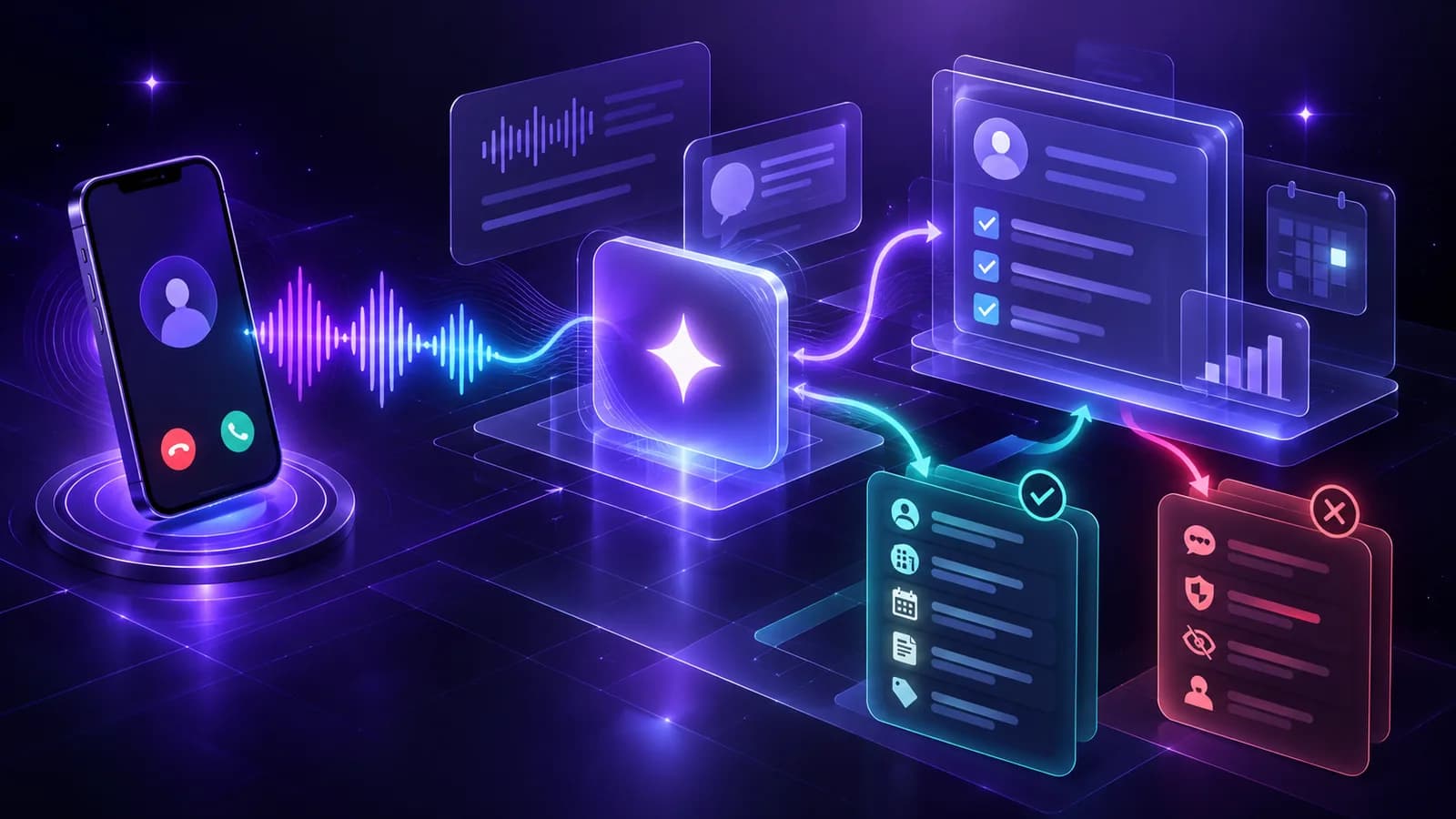
AI call summaries are short written accounts of what happened on a call, generated from the transcript, so nobody has to write notes by hand. A good one tells the next person who the lead is, what they want, what was agreed and what to do next, in less time than it takes to listen to the first minute of the recording.
The quality of the summary decides how useful an AI calling system is to the people who work with the output. This article explains what a summary should contain, how to use the transcript alongside it, what to push into a CRM, and how to review accuracy.
What the call detail view shows
In Purple Voice, each call has a detail page with the transcript, an AI summary and the recording. The transcript is the full record of what each side said. The summary compresses it. The recording is the source of truth if the two disagree.
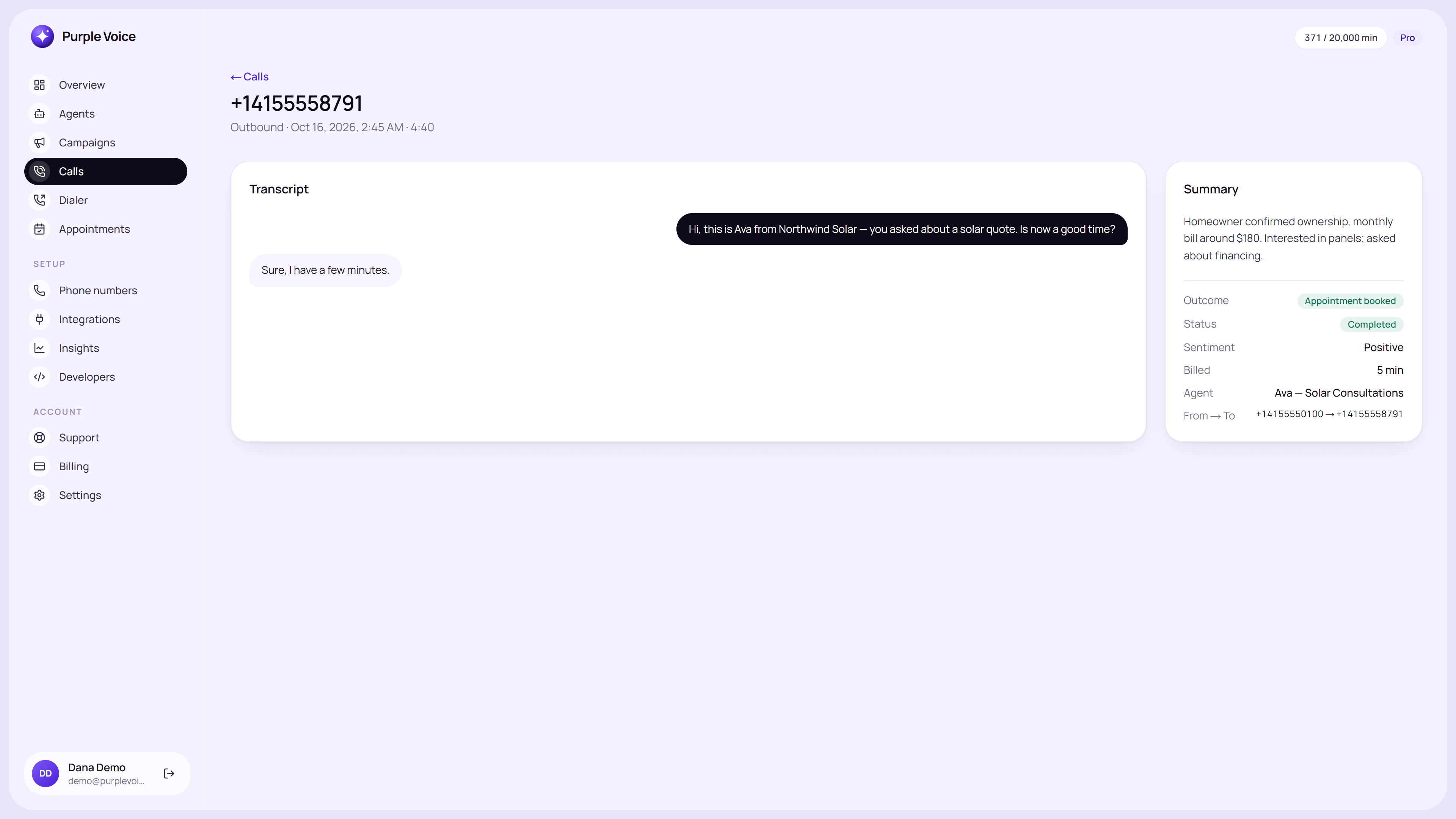
The call detail view pairs the transcript with the AI summary, so you can check one against the other.
Reading summaries first and transcripts second is a practical habit: the summary tells you whether the call is worth opening, and the transcript tells you exactly what was said when it is.
What a good summary contains
A summary is only useful if it is predictable. The reader should know where to look. A strong summary has these parts, in this order:
- Outcome. Booked, interested, not interested, call back, wrong person, voicemail, no answer. One word or short phrase first.
- Who and why. The person's name and the reason for the call, in a few words.
- What they said they want. Their needs and priorities in their words.
- Key facts. The details you qualify on: timeline, budget, location, size, current supplier.
- Objections or concerns. What held them back, even if it was resolved.
- Next step. What was agreed, with a date or time if there is one.
Illustrative example:
Outcome: Booked. Site visit Thursday 2pm. Lead: Priya Shah, enquired online about loft conversion. Wants: Extra bedroom and bathroom, start in spring. Facts: Three-bed semi, owner-occupier, rough budget mentioned as 40-50k. Concerns: Wondered about planning permission; told a surveyor will advise. Next step: Surveyor visit Thursday 2pm at the property.
That is around fifty words and covers what a salesperson needs to prepare.
What to leave out
Summaries get worse when they try to retell the call. Leave out:
- Pleasantries and filler. Nobody needs "the call was friendly" unless tone is the point.
- Anything the agent guessed. If the person did not say it, it should not be in the summary as a fact.
- Long quotes. The transcript has them.
- Sensitive details you do not need. Do not log health information, financial specifics or personal data beyond what the process requires.
The last point matters in regulated settings. If your calls touch on medical or financial matters, think about what the summary should and should not record, and check the rules that apply to you.
Using transcripts alongside summaries
The transcript is the evidence. Use it for:
- Verifying important facts. Names, numbers and dates are the places summaries slip.
- Coaching and tuning. Reading how the agent handled a hard moment is how you improve the prompt; see improve your AI agent with call transcripts.
- Disputes. If a lead says they were promised something, the transcript and recording settle it.
- Finding patterns. Questions that keep appearing show what the knowledge base is missing.
A reasonable routine: read the summary of every call that ended in a booking or a transfer, and skim the transcripts of a sample of the rest.
What to push to the CRM
A CRM is only as useful as what goes in it, and the temptation is to log everything. A tighter set works better:
| Field | Source | Notes |
|---|---|---|
| Call outcome | Summary | Use a fixed list of values so reports work |
| Date and time of call | Call record | Automatic |
| Short summary | Summary | The fifty-word version |
| Qualification fields | Summary or transcript | Timeline, budget, property type, etc. |
| Next step and date | Summary | Creates a task for the owner |
| Link to transcript or recording | Call record | So people can check |
| Consent or opt-out status | Call record | Critical for suppression |
On the Pro plan, webhooks and the API let you send call data to other systems automatically, and the Developers section includes automations; see AI voice agent API and webhooks for how that works. On other plans, summaries can still be read in the dashboard and sent by email.
Keep the structure consistent. A pile of free-text notes cannot be filtered, counted or acted on, while a fixed outcome list can feed reports and follow-up rules.
Checking accuracy
AI summaries are good at the gist and fallible on detail. Build a quick review habit:
- In the first week, compare ten or twenty summaries against transcripts. Note what is regularly missed or invented.
- Watch numbers and names. These are the commonest errors.
- Watch for confident mistakes, such as an outcome listed as "booked" when the person only said maybe.
- Adjust the agent's brief to confirm key facts out loud ("Just to confirm, that's Thursday at two"), which makes both the transcript and the summary more reliable.
When the same error repeats, it usually points to something fixable in the prompt, not a one-off.
Recording and privacy
Call recordings and transcripts contain personal data. Handle them carefully:
- Tell people that calls are recorded or processed where the rules require it.
- Keep them only as long as you need. Decide a retention period and stick to it.
- Limit who can listen. Not everyone in the company needs access to recordings.
- Respect deletion requests where you are required to.
Rules differ by country and by use. This is general information, not legal advice; see GDPR and call recording for an overview and check current requirements for where you operate.
Making summaries part of the routine
Summaries are valuable when someone acts on them. Decide:
- Who reads them. The salesperson who owns the lead, or a coordinator who triages.
- When. Daily review of the previous day's bookings and transfers is enough for most teams.
- What happens next. Booked calls get confirmed, interested leads get a follow-up, not-interested leads are closed out.
If summaries pile up unread, the automation has saved nobody any time. The metrics that tell you whether the process is working are in AI calling metrics that matter.
Try it
The easiest way to judge summary quality is to read your own. Run a test call to your phone from Purple Voice, then open the call detail page and compare the summary with the transcript. The Free plan includes booking and summaries, with no card needed. Start at voice.purplerocket.co.
Frequently asked questions
What are AI call summaries?
They are short written accounts of a phone call, generated from the transcript, covering who was on the call, what was discussed, what the outcome was and what should happen next. They replace manual note-taking after each call.
What should be in a call summary for a CRM?
The outcome, the lead's stated needs, key facts such as timeline and budget, objections raised, and the agreed next step with a date. Keep it short enough to read in under half a minute.
Are AI call summaries accurate?
Usually good on the main points and weaker on detail, names and numbers. Spot-check summaries against transcripts, especially at first, and keep the transcript available for anything important.
Should I store call recordings and transcripts?
Only as long as you need them and have a lawful basis to keep them. Recording and retention rules vary by place, so check current rules and tell callers about recording where required.
Does Purple Voice send call summaries?
Yes. Purple Voice records calls, produces transcripts and AI summaries, and shows them in the Calls section of the dashboard. You can also receive summaries by email and use webhooks on the Pro plan to send them to other systems.
- summaries
- transcripts
- crm