Product · October 10, 2026
How to improve your AI voice agent using call transcripts
A weekly routine for turning call transcripts into a better agent: what to read, which patterns to look for and how to change the prompt without breaking what works.

The fastest way to improve an AI voice agent is to read what it actually said to real people. Group the problems into patterns, fix each pattern in the prompt or knowledge base, test it, and read the next batch. Doing this for twenty minutes a week beats rewriting the prompt every month.
Transcripts are the closest thing you have to sitting next to the agent during a call. This guide is a repeatable routine for using them: what to open, what to look for and how to make changes that stick.
Where to find the material
In Purple Voice, the Calls area lists every call. Open one and you get the transcript, an AI summary and the recording, so you can read the words and, when the transcript is not enough, listen to how they sounded.
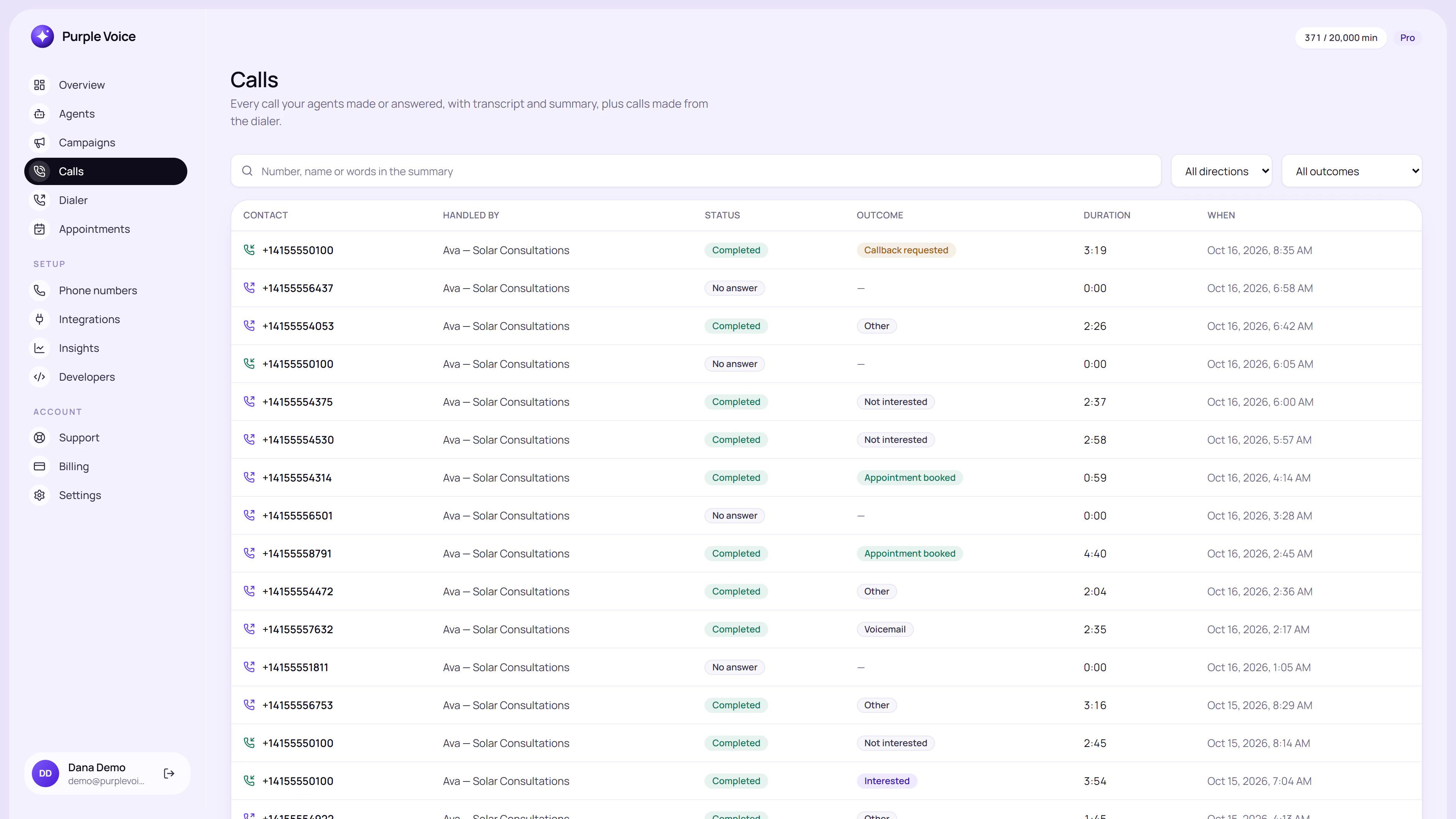
The Calls list is where a review session starts: filter your attention to the calls most likely to teach you something.
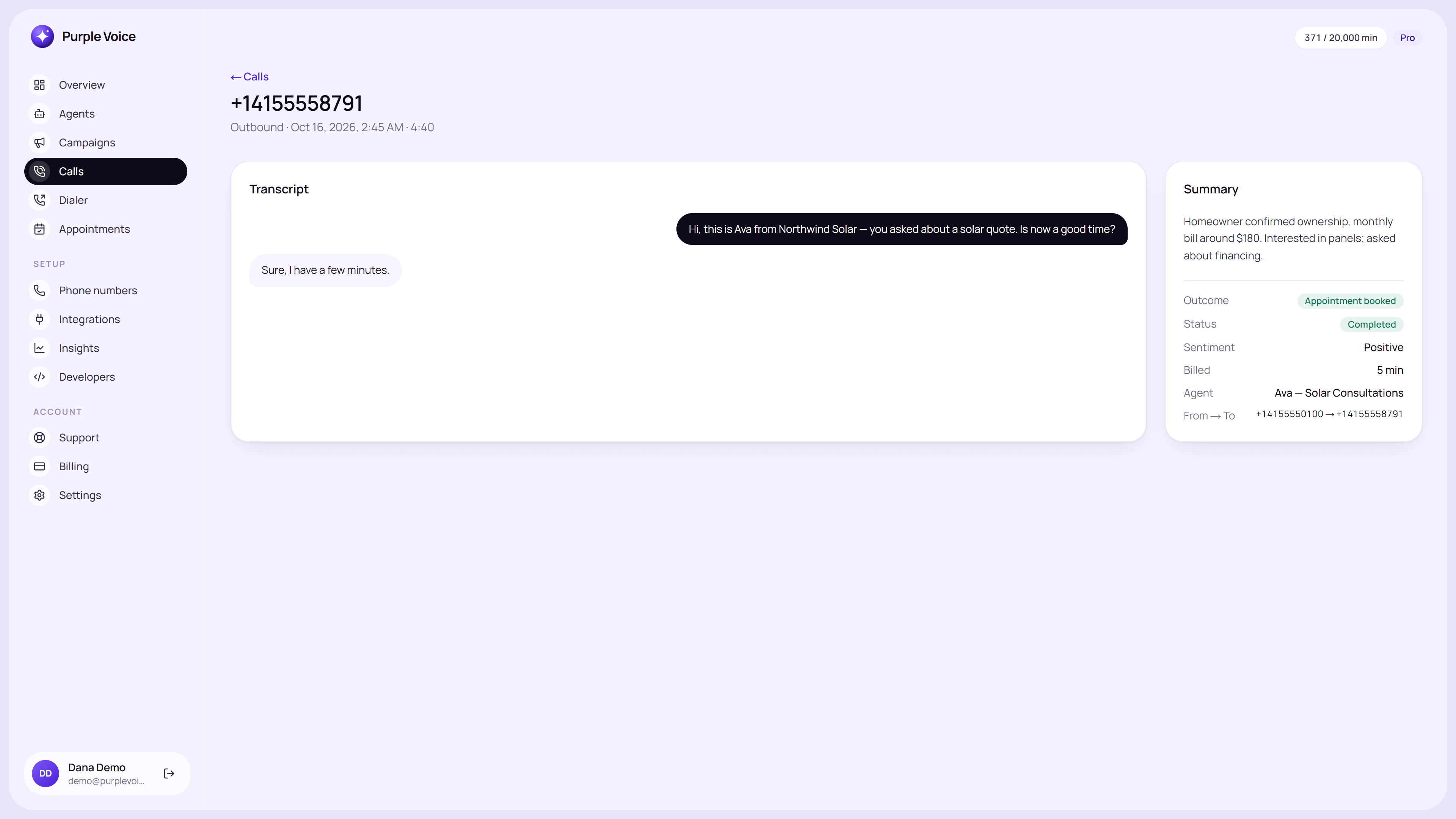
The call detail page pairs the transcript with the AI summary and recording.
Which calls to read first
You will not read everything forever, so choose deliberately. A good mix:
- Booked calls. Learn what worked, and check the agent did not book someone who was clearly uninterested.
- Transferred calls. Did the handoff happen at the right moment?
- Very short calls. Leads who hung up in the first fifteen seconds are telling you about your opening.
- Long calls that did not convert. Something kept the lead talking but the goal was missed.
- A random handful. To catch problems you did not know to look for.
While volume is small, read all of them.
What to look for
Read with a pen in hand and tag each problem moment with one of these labels.
| Tag | What it looks like | Usual fix |
|---|---|---|
| Wrong fact | The agent states something untrue | Fix or add to the knowledge base |
| No answer | The agent could not answer a reasonable question | Add the answer; or tell it to offer a follow-up |
| Ignored the lead | The lead said something and the agent carried on with its script | Prompt: tell it to respond to what was said first |
| Too long | Long turns where the lead goes quiet | Prompt: shorter sentences, one question at a time |
| Weak opening | Hang-up in the first moments | Rewrite the opening; see cold call opening lines |
| Pushy | Kept pitching after a clear no | Prompt: define when to accept a no and exit |
| Missed signal | Lead showed buying intent, agent did not act | Prompt: spell out the booking or transfer trigger |
| Repetition | Same phrase or filler used repeatedly | Prompt: vary phrasing, or remove the example that is being copied |
Resist the urge to fix each one as you see it. Collect them first.
Count before you change
After reading ten or twenty calls, tally the tags. A one-off oddity is noise; a pattern that shows up in six of twenty calls is a priority. This stops you rewriting the prompt for a single strange conversation.
A quick illustrative tally:
- Weak opening: 5
- Ignored the lead: 4
- No answer to pricing: 3
- Wrong fact: 1
You would fix the first, then the second, and put the pricing answer into the knowledge base. The single wrong fact is a quick edit but not an emergency.
Make one change at a time
For each pattern, decide where the fix belongs.
- Knowledge base: for facts, prices, policies and answers.
- Prompt: for behaviour, tone, order of questions and when to act.
- Voice or pacing: for how the agent sounds, if the transcript reads fine but the recording does not.
Edit one thing, then re-run the relevant scenario with the test call on your own phone. Test your AI voice agent lists the scenarios worth repeating. A fix that works on the problem call but breaks a different scenario is a bad fix, so re-run the basics too.
Write fixes as instructions, not examples
A common trap: you add a sample line to the prompt, and the agent starts saying it word for word in every call. Prefer a description of intent ("acknowledge what the lead just said before asking the next question") to a sentence to copy. If you do need an example, give two or three that differ, so the agent learns the pattern rather than the phrase. More on structure in how to write an AI voice agent prompt.
Use the summaries for scale, transcripts for diagnosis
Summaries are quick to scan, so use them to spot calls worth reading in full. They are not a substitute for the transcript when you are diagnosing a problem, because a summary compresses exactly the moments you need. For how to use summaries in your workflow, see AI call summaries and CRM notes.
Read the numbers beside the words
Transcripts explain individual calls; numbers show whether your changes help overall. Track a few simple rates over time, and compare before and after each prompt edit. AI calling metrics that matter explains which ones. Give a change enough calls to mean something before you judge it; a handful of calls in either direction proves nothing.
A weekly 20-minute routine
- Open Calls and pull ten calls using the mix above.
- Read each one, tagging problems.
- Tally the tags and pick the top one or two patterns.
- Make one change per pattern in the prompt or knowledge base.
- Run a test call to confirm the fix and re-run one old scenario.
- Note what you changed and the date, so you can link results to edits later.
- Next week, read a fresh set and check whether the pattern shrank.
Keep a simple change log: date, what you changed, why. When results move, you will know why.
When to stop tweaking
Improvement has diminishing returns. If the agent reaches the goal reliably, handles refusals politely and rarely gets facts wrong, shift from fixing to monitoring. A monthly review is enough, plus a quick look any time you change the offer, pricing or target audience, because those make the old prompt wrong overnight.
Try it
Transcripts, summaries and recordings are part of the dashboard, and the Free plan includes summaries, one agent and 100 minutes a month, with no card. Create an account at voice.purplerocket.co, run some calls and use this routine on the results. Plans are on the pricing page.
Frequently asked questions
How do I improve an AI voice agent?
Read real call transcripts, group the problems into patterns, and fix each pattern in the prompt or knowledge base. Change one thing at a time, then re-test the scenario and watch the next batch of calls.
How many transcripts should I review each week?
Start with every call while volume is low. Once volume grows, review a mix: all booked calls, all transfers, all very short calls and a random handful of the rest.
What should I look for in an AI call transcript?
Look for where the lead stopped engaging, answers the agent got wrong, questions it could not answer, repeated phrases and moments where it ignored what the lead said. Those are your edit points.
Should I rewrite the whole prompt when calls go badly?
Rarely. A full rewrite changes everything at once, so you cannot tell what helped. Fix the specific pattern, test it, and keep the parts that work.
Where can I see transcripts in Purple Voice?
In the Calls area. Each call has a transcript, an AI summary and a recording, so you can read and listen to the same conversation.
- transcripts
- optimisation
- prompts