Product · October 8, 2026
How to test your AI voice agent before it calls a single lead
A practical pre-launch routine for testing an AI voice agent: the test call on your own phone, the leads to role-play and a checklist to clear before real calls.

To test an AI voice agent properly, ring your own phone with the agent's test call, talk to it the way different kinds of leads would, then check what happened afterwards: the transcript, the summary, the booking and the handoff. Do that before a single real contact is dialled.
A launch that skips this step teaches your leads to hang up on you. A launch that takes an afternoon to test teaches you what to fix while nobody is listening.
The test call, on your own phone
The agent editor includes a test call that rings your own phone. It is the closest thing to what a lead will experience, because you hear the voice, the pauses and the interruptions at real phone quality rather than reading a transcript on a screen.
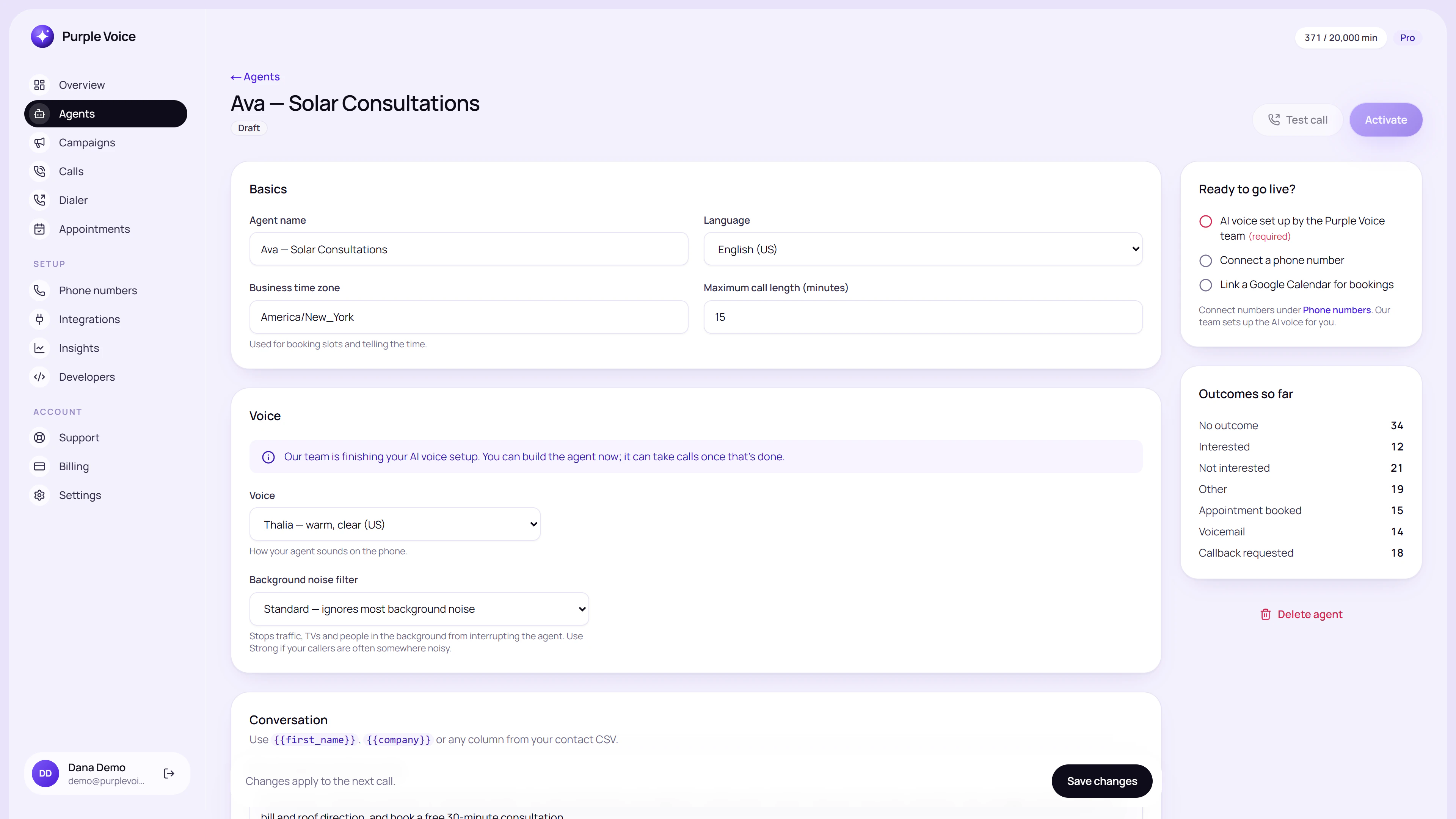
The agent editor is where you edit the prompt and voice, and where the test call lives.
Take the call somewhere quiet, on the handset you would normally use. Then pay attention to three things beyond the words:
- Opening. Does the first ten seconds sound like a person worth staying on the line for?
- Pacing. Does it leave room for you to answer, or talk over you?
- Recovery. When you stumble or change the subject, does it come back to the point?
Do not read from the prompt. Say what a real lead might say, in the order they might say it.
Cast list: the leads to role-play
One friendly test call proves very little. Run these types, and write down what happened in each.
| Lead type | What you do | What good looks like |
|---|---|---|
| The friendly one | Answer everything directly | Goal reached in a short, natural call |
| The distracted one | Say "sorry, I'm driving" or "who is this?" | Offers a call back, does not push |
| The sceptic | "How did you get my number?" | Calm, honest answer, no defensiveness |
| The haggler | "How much is it?" | States only what the knowledge base says |
| The off-topic one | Asks something unrelated | Politely redirects without inventing facts |
| The interrupter | Talks over the agent | Stops, listens, responds to what you said |
| The refuser | "Don't call me again" | Agrees at once and ends the call |
The refusal is not optional. If the agent argues with someone who asks to be removed, stop and fix it before anything else. See disclose AI on calls and do-not-call lists and dialer hygiene for how to handle it.
Test the facts, not just the tone
A smooth voice can hide wrong answers. Ask the agent ten things from your knowledge base and check each against your own records:
- Prices and what is included.
- Opening hours and locations.
- Lead times and cancellation terms.
- A question that is not in the knowledge base at all.
That last one tells you the most. The right answer to an unknown question is "I will have someone confirm that and get back to you", not an invented one. If it makes something up, tighten the instructions and add the missing information to the knowledge base.
Test the actions
The conversation is one part. An agent's actions have to work too.
- Booking. Agree to a meeting and check it appears on the calendar with the correct time zone. If you have not connected one yet, see Google Calendar booking with an AI agent.
- Transfer. Ask for a person, or express strong buying intent, and check the call is handed to the right human with the right context. Warm transfer from AI to human explains how to set up the handoff.
- Summary and transcript. Open the call afterwards. Does the summary capture what you actually said, and is the transcript accurate enough to learn from?
- No answer. Call a number that will not pick up and confirm the retry behaviour does what you expect. For campaigns, see how to launch an AI calling campaign.
Read the transcripts as a reviewer
After each round, open the call in Calls and read the transcript like a manager listening to a new hire's first call.
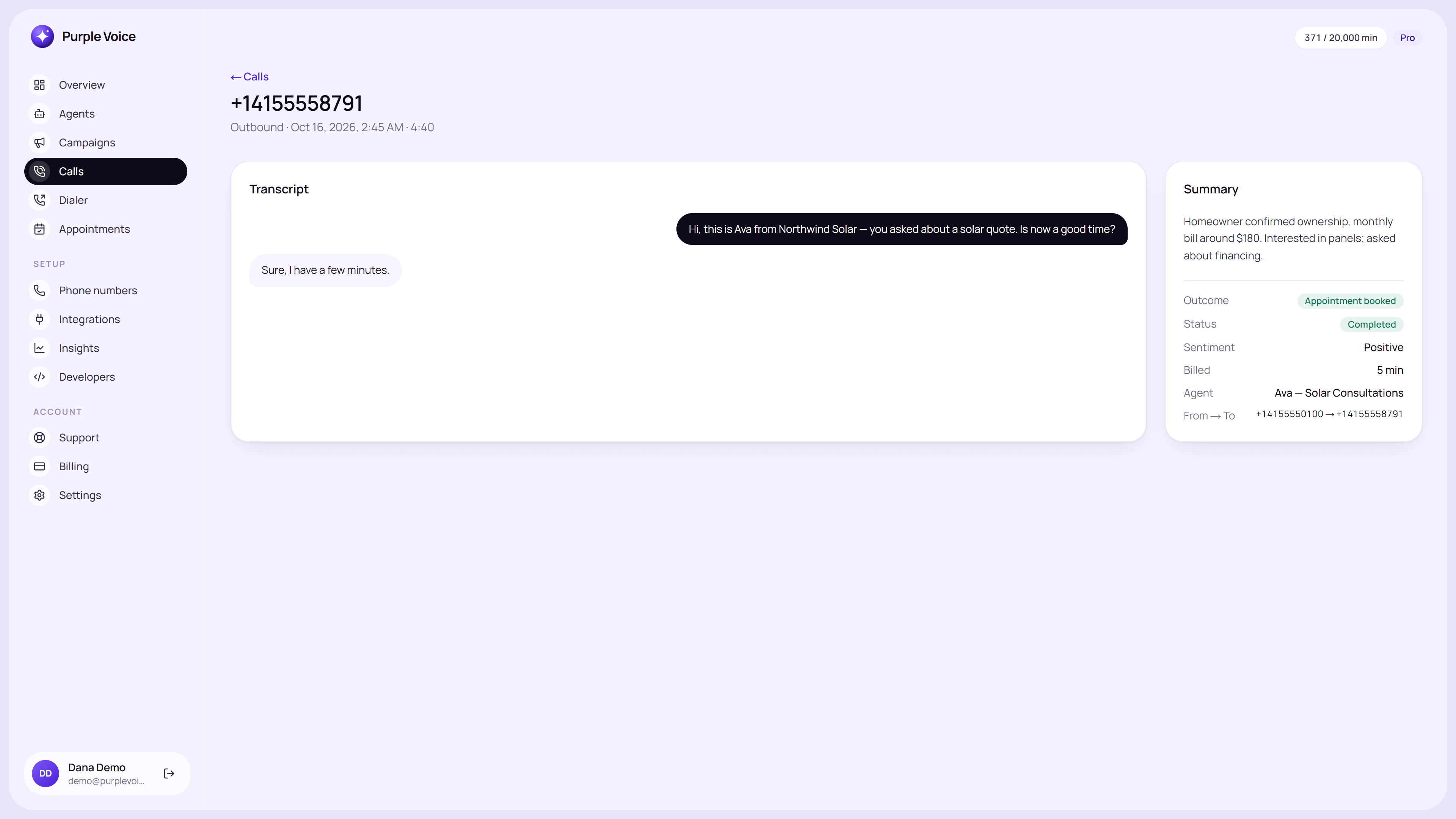
A call detail page shows the transcript and AI summary, which is what you review after every test.
Mark every moment where you winced. For each one, decide whether the cause is the prompt, the knowledge or the voice, because each has a different fix:
- The agent said something wrong: the knowledge base or an instruction is missing.
- The agent said something awkward: the prompt tells it to behave in a way that sounds stiff.
- The agent sounded off: consider a different voice or shorter sentences in the prompt.
Then change one thing at a time and re-run the same scenario. If you change five things at once you will not know which one helped.
A second pair of ears
Ask a colleague, ideally someone who has not read the prompt, to call and try to break it. They will say things you would never think of, such as answering a yes-or-no question with a story. If you have a friend in your target market, even better.
Pre-launch checklist
Clear all of these before real contacts are called:
- At least ten test calls across the scenarios above.
- Refusal and removal requests are handled immediately and politely.
- Ten factual questions checked against your records.
- An unknown question gets an honest "I will find out", not an invention.
- Booking creates the right event at the right time and time zone.
- Transfer reaches the right person with context.
- Summary and transcript are accurate and saved.
- Calling hours, retries and consent are set for any campaign.
- The agent identifies itself in the way your market expects.
- A small first batch is ready, rather than the whole list.
After launch, keep testing
Testing does not end at launch. Every change to the prompt or knowledge can break something that used to work, so re-run your key scenarios after each edit. Then use real calls as the next test set; improve your AI agent with call transcripts shows how to do that without drowning in data.
Try it
You can build an agent and test it on your own phone on the Free plan, which includes one agent, one number and 100 minutes a month, with no card. Sign up at voice.purplerocket.co, create the agent, and ring yourself before anyone else. Plan details are on the pricing page.
Frequently asked questions
How do I test an AI voice agent?
Use the test call in the agent editor, which rings your own phone, then role-play different kinds of leads: friendly, distracted, sceptical and hostile. Check the answers, the booking and the handoff, and fix the prompt or knowledge for anything that sounded wrong.
How many test calls should I make before launch?
Aim for at least ten across different scenarios, and repeat the important ones after every prompt change. A change that fixes one problem can quietly break another.
Does a test call cost minutes?
Test calls use the agent in the same way live calls do, so treat them as real usage and plan for it within your minute allowance. Check your plan details on the pricing page.
What should I test besides the conversation?
Test booking into the calendar, the transfer to a human, the summary and transcript afterwards, and what happens when the lead does not answer. The conversation is only one part of the system.
Should someone else test the agent as well?
Yes. You know what the agent is supposed to say, which makes you a forgiving tester. A colleague who has not read the prompt will ask questions in ways you would not think of.
- testing
- launch
- agents