Product · September 21, 2026
How to create an AI voice agent in Purple Voice, step by step
A practical walkthrough of creating your first AI voice agent: the goal, the prompt, the voice, the knowledge base and the test call, in about an hour.

If you want to know how to create an AI voice agent that is ready for real leads, the short version is this: give it one job, describe that job in a plain-language prompt, pick a voice, add the facts it needs, and test it on your own phone before anyone else hears it. This guide walks through each step in the Purple Voice dashboard.
You do not need to write code or connect speech models yourself. The AI layer is managed by the Purple Voice team for each customer, so your work is the part that actually decides call quality: what the agent is for, what it says, and what it knows.
Before you start: decide the one job
Most weak agents fail before the first click, because the brief is fuzzy. "Handle sales calls" is not a job. These are:
- Call new web enquiries within minutes, check budget and timeline, and book a demo.
- Answer inbound calls out of hours, capture the caller's need and book a visit.
- Call a dormant list, find out if the lead is still interested, and hand warm ones to a human.
Pick one. You can add more agents later; on the Free plan you get one, so choose the job that matters most. If you are weighing outbound against inbound, what an AI voice agent is covers the difference in plain terms.
Step 1: create the agent
Open Agents in the dashboard. The list shows every agent you have, and from there you start a new one.
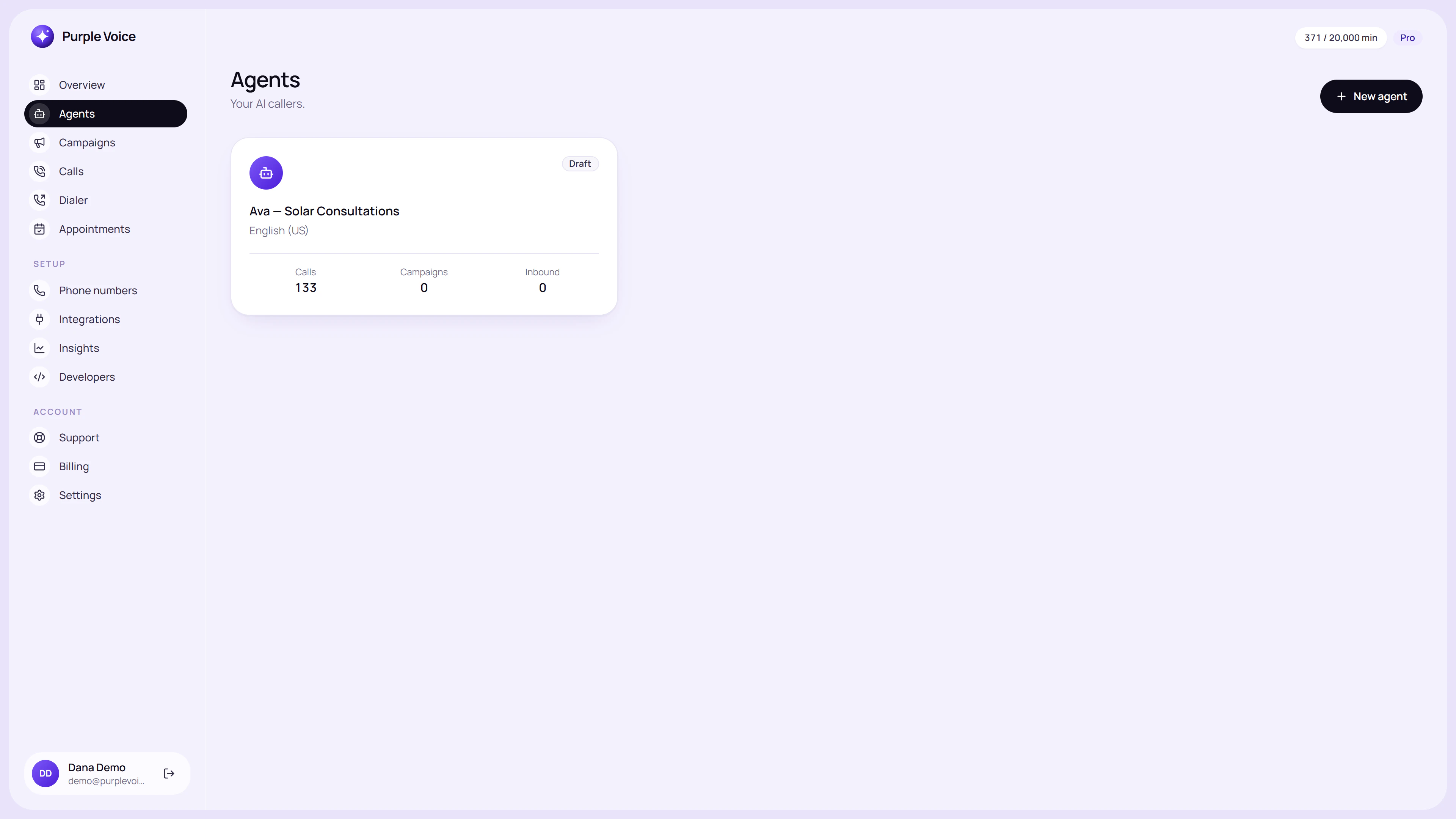
The Agents list is the starting point; each agent keeps its own prompt, voice and knowledge.
The create screen asks for the basics. Give the agent an internal name that describes the job, such as "Web enquiry qualifier" rather than "Agent 1". When you have five agents on Pro, names are what keep you sane.
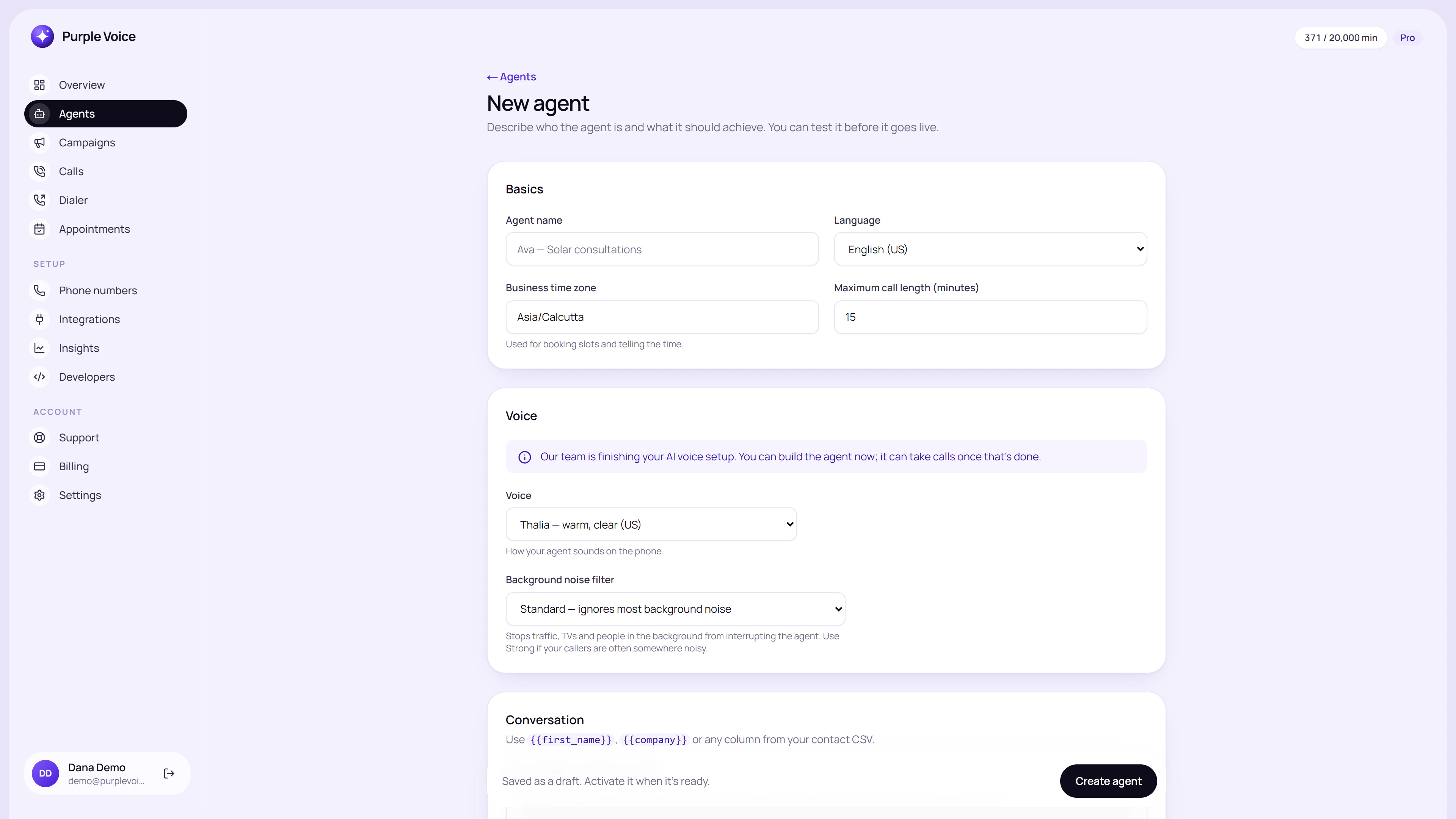
Creating a new agent: start with a name that says what the agent is for.
Step 2: write the prompt
The prompt is the agent's brief. Write it the way you would brief a new hire on their first morning, not as a rigid script. A script breaks the moment a lead says something unexpected; a brief lets the agent adapt. The deeper guide is how to write an AI voice agent prompt, but here is a workable structure:
- Role. Who the agent is and who it represents. "You are Sam, calling on behalf of Northside Roofing."
- Goal. The single outcome. "Find out whether the lead still needs a roof quote and book a free survey."
- Questions. The two to five things you need to learn, in the order that feels natural.
- Objections. How to respond to "not interested", "send me an email" and "how much is it". See handling objections with an AI voice agent.
- Actions. When to book on the calendar, when to transfer to a human, when to end politely.
- Limits. What it must never do: quote prices you have not given it, promise outcomes, argue with someone who asks to be removed.
Keep sentences short. If a rule matters, write it as its own line so it does not get buried.
Step 3: choose a voice
Open the agent editor and pick a voice. Listen to a sample before you commit, and judge it the way a lead would: is it easy to follow at phone quality, and does it suit who you are calling? A calm, clear voice generally works better for a homeowner than a hurried one. Avoid over-thinking this; you can change it later without rewriting anything else.
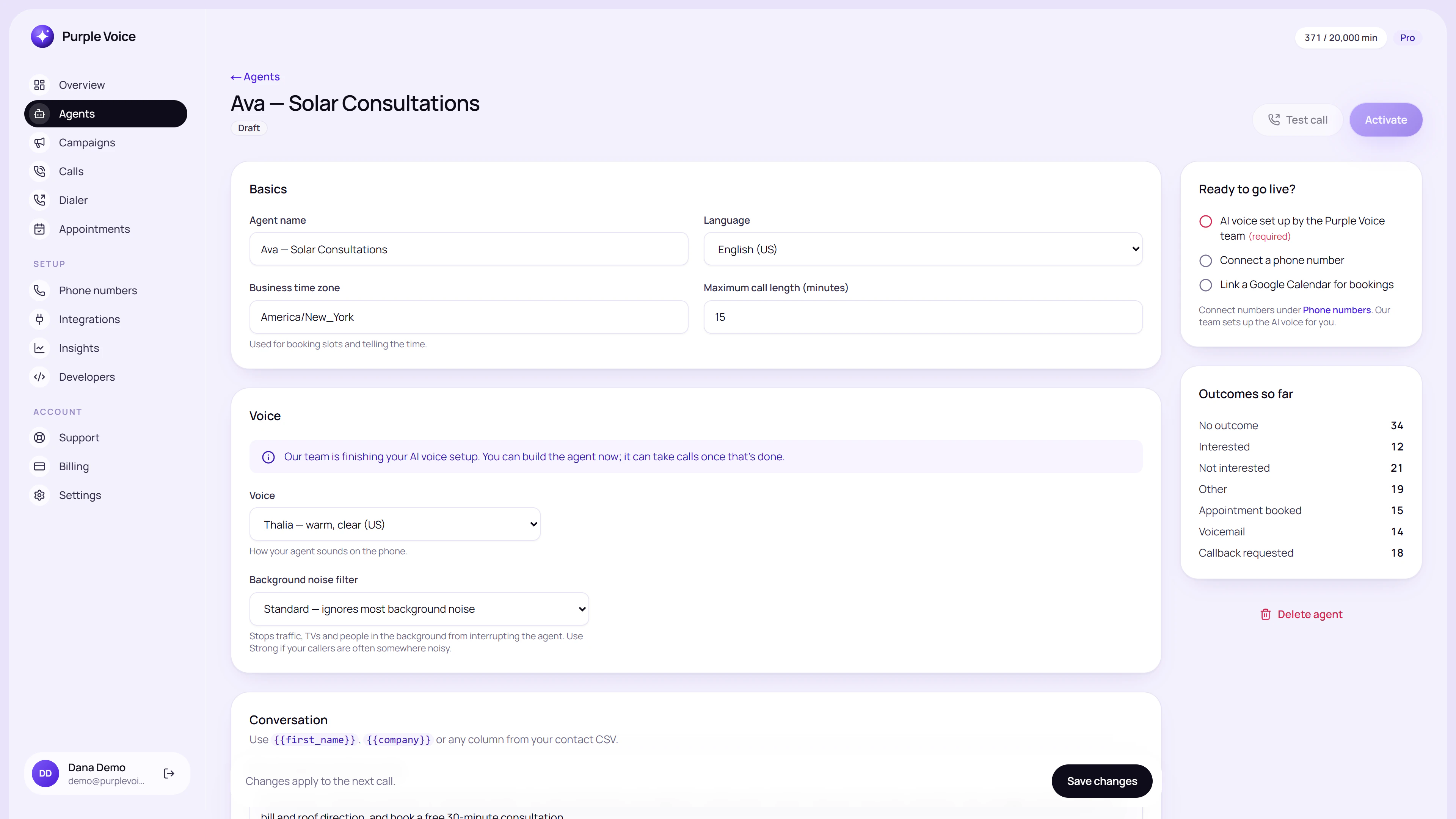
The agent editor keeps the prompt, voice, knowledge and test-call controls in one place.
Step 4: add knowledge
An agent without knowledge guesses, and guessing on a phone call is how businesses end up promising things they do not offer. Add the material a good receptionist would have to hand:
- Services and what is not included.
- Pricing ranges you are willing to state, and the ones you are not.
- Opening hours, service areas and lead times.
- Answers to the ten questions customers ask most.
- Policies on cancellations, deposits or guarantees.
Write it as plain Q and A or short paragraphs. If the information is not in the knowledge base or the prompt, the agent should be told to say it will have someone follow up rather than invent an answer.
Step 5: run a test call
The editor includes a test call that rings your own phone. Do not skip it, and do not treat it as a formality. Play three types of lead:
| Lead type | What to try | What you are checking |
|---|---|---|
| Friendly | Answer every question directly | Does it reach the goal efficiently? |
| Awkward | Interrupt, change the subject, ask something off-topic | Does it recover and stay polite? |
| Hostile | "Take me off your list" | Does it comply immediately and end the call? |
Note what sounded wrong, then fix the prompt or knowledge, not just the symptom. The full checklist is in test your AI voice agent.
Step 6: refine, then put it to work
After a couple of rounds of test calls, attach the agent to a phone number or campaign. Your first live calls are the most valuable test you will ever run, so review the transcripts early; improve your AI agent with call transcripts shows how. Start with a small list rather than your whole database, then widen once the calls sound right.
Common first-agent mistakes
- Two goals in one prompt. "Qualify, book, upsell and collect feedback" produces a muddled call.
- A script with no flexibility. Leads do not follow it, and the agent sounds stuck.
- No stated limits. If you never told it what not to do, it will improvise.
- Skipping the hostile test. Handling a removal request properly is not optional.
Try it
You can create your first agent on the Free plan, which includes one agent, one phone number, 100 minutes a month, booking and summaries, with no card. Sign up at voice.purplerocket.co, build the agent from this guide, and call your own phone before you call anyone else. Phone-number rental and AI usage are billed by those providers, and plans are listed on the pricing page.
Frequently asked questions
How long does it take to create an AI voice agent?
A first working agent usually takes under an hour: roughly 20 minutes to write the prompt, 10 to add knowledge, and the rest to test. Tuning it against real calls takes longer and is ongoing.
Do I need to code to build an AI voice agent?
No. In Purple Voice you create the agent in the dashboard by filling in a prompt, choosing a voice and adding knowledge. The AI layer is managed by the Purple Voice team, so you do not wire up speech or language models yourself.
Can I test an AI voice agent before it calls real leads?
Yes. The agent editor has a test call that rings your own phone, so you can talk to the agent exactly as a lead would before attaching it to a campaign.
How much does it cost to create an AI voice agent?
Creating one is free on the Free plan, which includes one agent, one phone number and 100 minutes a month, with no card. Phone-number rental and AI usage are billed by those providers, not by Purple Voice.
What should an AI voice agent prompt include?
A role, one clear goal, the questions to ask, what to do on common objections, when to transfer or book, and the things it must never say. Short and specific beats long and vague.
- setup
- agents
- how-to