Product · September 28, 2026
How to launch an AI calling campaign: list, hours, retries and progress
A walkthrough of launching an AI calling campaign: preparing the list, setting calling hours and retries, confirming consent and reading progress and not-reached analytics.
An AI calling campaign is a batch of outbound calls to a defined list, run by an agent within hours you set, with retries for people who do not pick up. Launching one well takes less time than most teams expect, but the order matters: list first, rules second, volume last.
This guide covers the Campaigns area of Purple Voice. If you have not built an agent yet, start with how to create an AI voice agent, because a campaign is only as good as the agent attached to it.
What a campaign actually is
A campaign ties together four things:
- A list of contacts.
- An agent that knows what to say.
- A phone number the calls come from.
- Rules: calling hours, retries, and a consent confirmation.
Everything you configure sits in those four buckets. Keep that mental model and the screens make sense.
Step 1: prepare the list
Most campaign problems begin in the spreadsheet. Before you upload anything:
- One contact per row, with a name and a phone number.
- Put numbers in full international format, including the country code. A number that is ambiguous is a call that goes to the wrong person or nowhere.
- Remove duplicates. Calling the same person twice in an hour is the fastest way to annoy a lead.
- Remove anyone on a do-not-call list or who has asked not to be contacted. Do-not-call lists and dialer hygiene explains the cleaning process.
- Add any fields the agent should mention, such as the service they enquired about.
Plan limits apply here: the Free and Basic plans allow 100 contacts per campaign, and Pro has unlimited contacts. If you are testing the idea, 100 well-chosen contacts is plenty.
Step 2: create the campaign and choose an agent
In Campaigns, create a new campaign and give it a name that says what it is and when it ran, for example "Web enquiries, October". Choose the agent and the phone number. The number matters more than people think: calls from a number your leads recognise, in the right country, get answered more often than calls from a random one. If you have not connected a number yet, see connect Twilio to your AI voice agent.
Step 3: upload and check the mapping
Upload your file and look at the first few rows before you proceed. Confirm the name column is the name, the phone column is the phone and nothing has shifted. Spending two minutes here prevents an agent greeting "Hello, 07700 900123".
Step 4: set calling hours
Calling hours are the windows in which the campaign is allowed to dial. Set them to match when your leads are reachable and when you are allowed to call, in their local time rather than yours.
- For consumers, early evenings and late mornings often connect better than mid-afternoon, though this varies a lot by audience.
- For businesses, mid-morning and mid-afternoon on weekdays are common starting points.
- Never schedule calls at hours that are likely to be restricted where your contacts live. Check the current rules for your market.
There is more detail in best time to call leads.
Step 5: choose retries and retry hours
Many leads do not answer on the first try. Purple Voice lets you allow up to 5 retries and set retry hours, so a second attempt lands at a different time of day instead of ten minutes after the first.
A sensible starting pattern:
| Attempt | When | Why |
|---|---|---|
| 1 | First available calling hour | Reach fresh leads quickly |
| 2 | Later the same day, different window | Catch people who were busy |
| 3 | Next day, morning | Different routine, different chance |
| 4-5 | Only if the lead is high value | Diminishing returns and rising annoyance |
More retries are not automatically better. Past three attempts you are mostly adding irritation. For a fuller cadence including text and email, see follow-up cadence for new leads.
Step 6: confirm consent
When you set up a campaign you confirm that you have a basis to call the contacts in the list. Treat this as a real checkpoint, not a box to tick. Rules differ between marketing and service calls and between countries, and many of them treat automated or artificial voices specifically. This is general information, not legal advice, so check the current rules for where you call. Is AI cold calling legal gives an overview.
Step 7: start small, then watch progress
Do not launch the full list on day one. Start with a small batch, ten to twenty contacts, and read every transcript. Then widen.
While a campaign runs, the progress bar shows how much of the list has been worked. The not-reached analytics show who has not been connected and why that might be, which is where you learn whether your hours are wrong. If most of the unreached contacts are being tried only in one window, add a different retry hour.
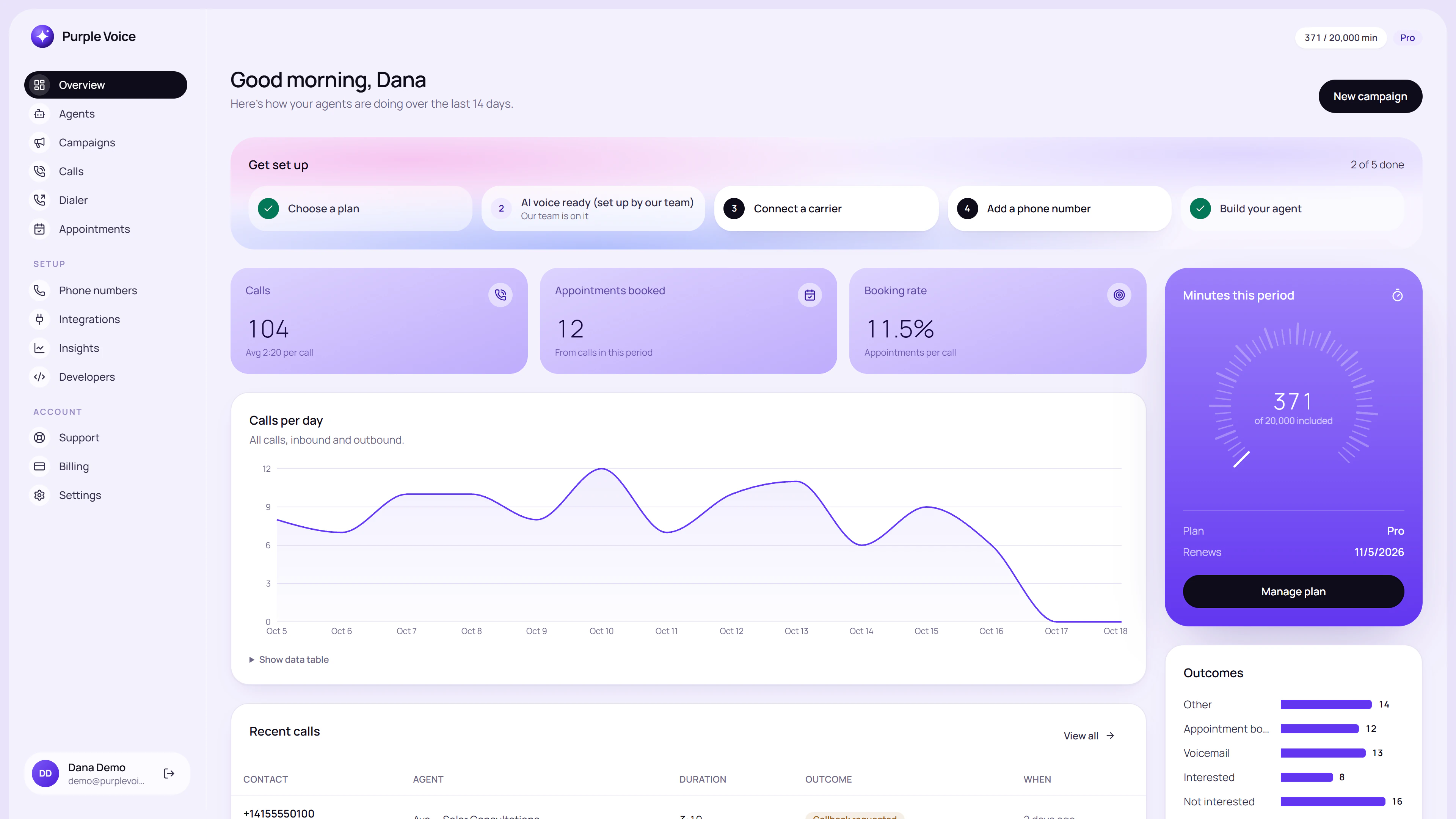
The dashboard overview gives a quick read on activity before you open individual campaigns and calls.
Then open Calls to read what the agent actually said. Numbers tell you what happened; transcripts tell you why.
What to check after the first day
- Did the agent greet people correctly and by name?
- Were any contacts called who should not have been?
- What share of calls reached a human, and what share of those reached the goal?
- Where did conversations stall? Those moments are your next prompt edits.
Improve your AI agent with call transcripts turns those observations into changes.
When to pause a campaign
Launching is half the job; knowing when to stop is the other half. Pause and investigate if you see any of these:
- Several leads say the call was unexpected or ask where you got their number. Your list source or your opening needs attention.
- The agent states something wrong about your offer. Fix the knowledge base before another call goes out.
- Answer rates collapse suddenly. Check the phone number and the hours before changing anything else.
- Complaints or removal requests arrive in a cluster. Stop, clean the list and review the consent basis.
A paused campaign costs you a day. A campaign that keeps running with a known flaw costs you leads and goodwill. Resume once the cause is fixed and a test call confirms it.
Try it
The Free plan lets you run one campaign of up to 100 contacts with 100 minutes a month, with no card. Create an account at voice.purplerocket.co, upload a small, clean list and launch a trial batch. Phone-number rental and AI usage are billed by those providers, and plan details are on the pricing page.
Frequently asked questions
How do I start an AI calling campaign?
Prepare a clean contact list, create a campaign, upload the list, choose an agent and phone number, set calling hours and retries, confirm consent, then start with a small batch. Watch progress and review transcripts before widening.
How many times should an AI agent retry a contact?
Purple Voice supports up to 5 retries with retry hours you set. Many teams start with two or three attempts spread across different times of day, then adjust from the not-reached analytics.
What file format should my contact list be in?
A simple spreadsheet export with one contact per row works best: a name, a phone number in full international format and any fields your agent should mention. Remove duplicates and numbers you must not call before uploading.
How many contacts can I put in a campaign?
The Free and Basic plans allow 100 contacts per campaign and one campaign. The Pro plan has unlimited campaigns and contacts.
Do I need consent before running an AI calling campaign?
Rules vary by country and by whether calls are marketing or service calls, so check the current rules for where you call. Purple Voice asks you to confirm consent when you set up a campaign. This is general information, not legal advice.
- campaigns
- outbound
- how-to