Guides · August 5, 2026
AI voice agent for small business: budget, setup and what to expect
What a small business can realistically get from an AI voice agent, what it costs, how to set one up in an afternoon and where it should not be trusted.

An AI voice agent for small business is most useful for the calls you are currently missing: the ones that arrive while you are on a job, with a customer or asleep. It answers, finds out what the person needs, answers common questions and books them in. For a small team, the value is not replacing staff, it is not losing enquiries.
This guide covers what to expect, what it costs, how to set one up in an afternoon and where it should not be trusted.
The small business problem it solves
Small businesses lose enquiries in predictable ways.
- A plumber is under a sink and cannot answer. The caller rings the next name on the list.
- A salon owner is with a client and the phone goes to voicemail. Many people do not leave a message.
- A web form lead arrives at 7pm and gets a reply at 10am, by which time they have booked elsewhere.
- Appointments are forgotten because nobody had time to send reminders.
An agent covers those gaps. It does not need breaks, and every call gets a transcript and summary so nothing relies on memory.
What it can handle
Inbound
- Answer your business number when you cannot, or out of hours.
- Answer common questions: hours, location, services, rough pricing, what happens next.
- Take a message with the right details, or book an appointment directly.
- Pass urgent calls to your mobile.
Outbound
- Call new enquiries within minutes. See speed to lead.
- Call a short list of past customers about a reorder or review.
- Confirm tomorrow's appointments.
- Reach people who asked for a quote and never replied.
What it should not handle
- Complaints, disputes and anything emotional.
- Complex quotes where the details need judgement.
- Medical, legal or financial advice.
- Anything where a wrong answer is costly.
Set the agent to hand those off and say so honestly. Callers forgive "let me get someone to call you back about that" far more than a confident wrong answer.
What it costs
Costs have three parts.
| Cost | What it is | Who bills it |
|---|---|---|
| Platform plan | The agent, campaigns, booking and call records | Purple Voice |
| Phone number | Renting a number, call charges | Your carrier (Twilio, Plivo, SuperPhone) |
| AI usage | Speech and language processing | The AI providers |
On the platform side:
- Free, $0: 1 agent, 1 number, 1 campaign, 100 contacts per campaign, 100 minutes a month, booking and summaries, one integration, no card.
- Basic, $19 a month: 1 agent, 1 number, 1 campaign, 100 contacts and 1,000 minutes a month.
- Pro, $299 a month: unlimited agents, numbers, campaigns and contacts, webhooks, API, insights, priority support and 20,000 minutes.
Most small businesses start on Free to test, and move to Basic once they rely on it. Pro is for teams running multiple agents and campaigns. A fuller breakdown is in AI voice agent pricing explained.
A rough sense of scale, with invented numbers for illustration: if you get 20 calls a week and a quarter go to voicemail, that is about 5 missed calls a week. If even one of those becomes a job worth a few hundred dollars, the monthly cost is easy to see against that.
Setting up in an afternoon
Here is a realistic plan.
Hour 1: Decide the job
Write down in one paragraph what the agent is for. For example: "Answer calls to the shop number when nobody picks up, answer questions about opening hours and services, and book appointments for fittings."
Hour 2: Gather your information
Write short, accurate answers to the ten questions customers ask most:
- What do you do and not do?
- Where are you, and where do you cover?
- Opening hours and holidays.
- Rough prices or how pricing works.
- How booking works.
- Cancellation or reschedule policy.
- What to bring or prepare.
- Who to ask for.
- How long jobs take.
- What happens next.
This becomes the agent's knowledge. Keep it short and factual.
Hour 3: Create and configure the agent
In the dashboard, create an agent, pick a voice, write the instructions and add the knowledge. Instructions should say who it is, how it should sound, what it can do, and what it must hand off. See how to write an AI voice agent prompt.
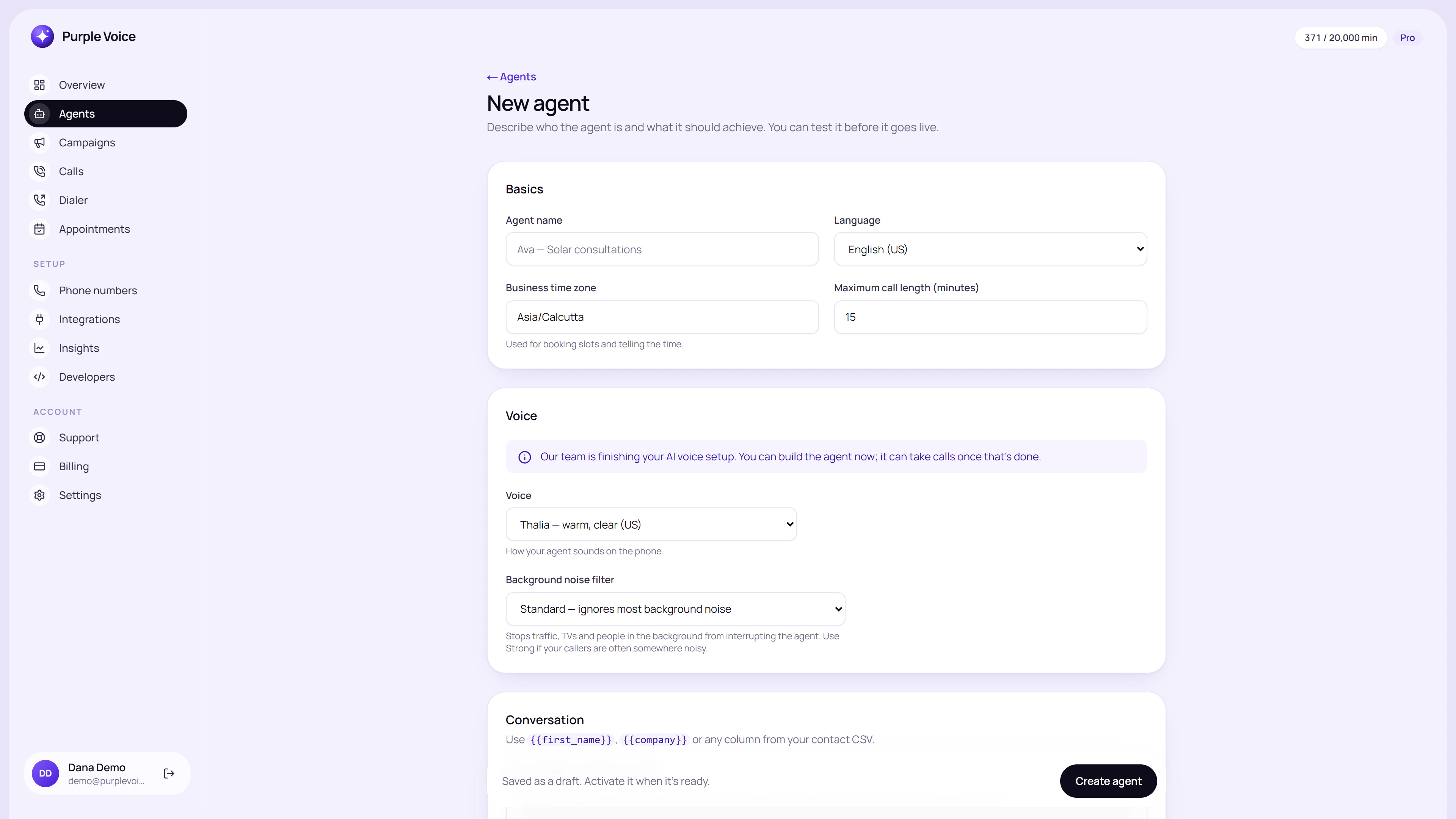 Creating an agent in the dashboard, the first step before adding instructions and knowledge.
Hour 4: Connect the phone and calendar
Connect a number from your provider, and connect Google Calendar if you want bookings. The Free plan allows one integration.
Hour 5: Test properly
Use the test call to your own phone. Do not only try the happy path. Try:
- Interrupting mid-sentence.
- Asking something not in the knowledge base.
- Asking for a person.
- Giving a name and number, then checking the transcript is right.
- Asking for a time that is already booked.
Fix what you find, then test again.
First week: go small
Do not route every call on day one. Start with after-hours or missed calls only, so the agent never replaces a call you would have answered. Read every transcript for a week. You will find gaps in the knowledge base, odd phrasings and questions you had not thought of.
What to track
For a small business, three numbers are enough:
- Calls answered by the agent.
- Bookings or messages captured.
- Calls it transferred or could not handle.
If you want more detail, see AI calling metrics that matter.
Mistakes small businesses make
- Overloading the agent. Start with one job.
- Stale information. Update the knowledge when prices or hours change.
- Hiding the human option. Make it easy to reach you.
- Ignoring transcripts. They are free market research.
- Skipping the consent and recording check. Rules on call recording and automated calls differ by country. This is general information, not legal advice, so check current requirements for where you operate.
Try it
You can have an agent answering test calls this afternoon without spending anything. Purple Voice's Free plan includes one agent, one number and 100 minutes a month, with booking and summaries, and needs no card. Start at voice.purplerocket.co and call it from your own phone.
Frequently asked questions
Is an AI voice agent worth it for a small business?
It can be if you regularly miss calls or follow up leads late, because each missed enquiry is lost revenue. If you get very few calls, a simple voicemail and a callback routine may be enough.
How much does an AI voice agent cost for a small business?
Purple Voice has a Free plan with 100 minutes a month and a Basic plan at $19 a month with 1,000 minutes. Phone number rental and AI usage are billed separately by those providers.
How long does it take to set up an AI voice agent?
A basic agent can be written, loaded with your information and tested in an afternoon. Allow longer if you have many services, complex pricing or custom rules.
Do I need technical skills to set up an AI voice agent?
No coding is needed to create an agent, connect a calendar and run test calls. A phone number from a provider such as Twilio, Plivo or SuperPhone has to be set up.
What calls should a small business give to an AI voice agent?
Missed or after-hours inbound calls, new enquiry follow-ups, appointment confirmations and simple FAQs. Keep complaints, sensitive matters and big-ticket negotiations with a person.
Can customers tell it is an AI?
Some can. Be ready to say so if asked, and check local rules on disclosure. Many people are comfortable with it if it is helpful, fast and offers a human when needed.
- small-business
- setup
- pricing